
Know your margin before you send the quote.
Practical estimating workbooks and business templates for the trades, with a Production Schedule and crew capacity planner in the Starter Kit and Complete Toolkit. You enter your own labor, material and travel costs. The price follows from the margin you choose.
Better tools mean fewer surprises.
Build clear estimates, organize your scope of work and keep project records together in your licensed toolkit workspace.
Itemized estimates
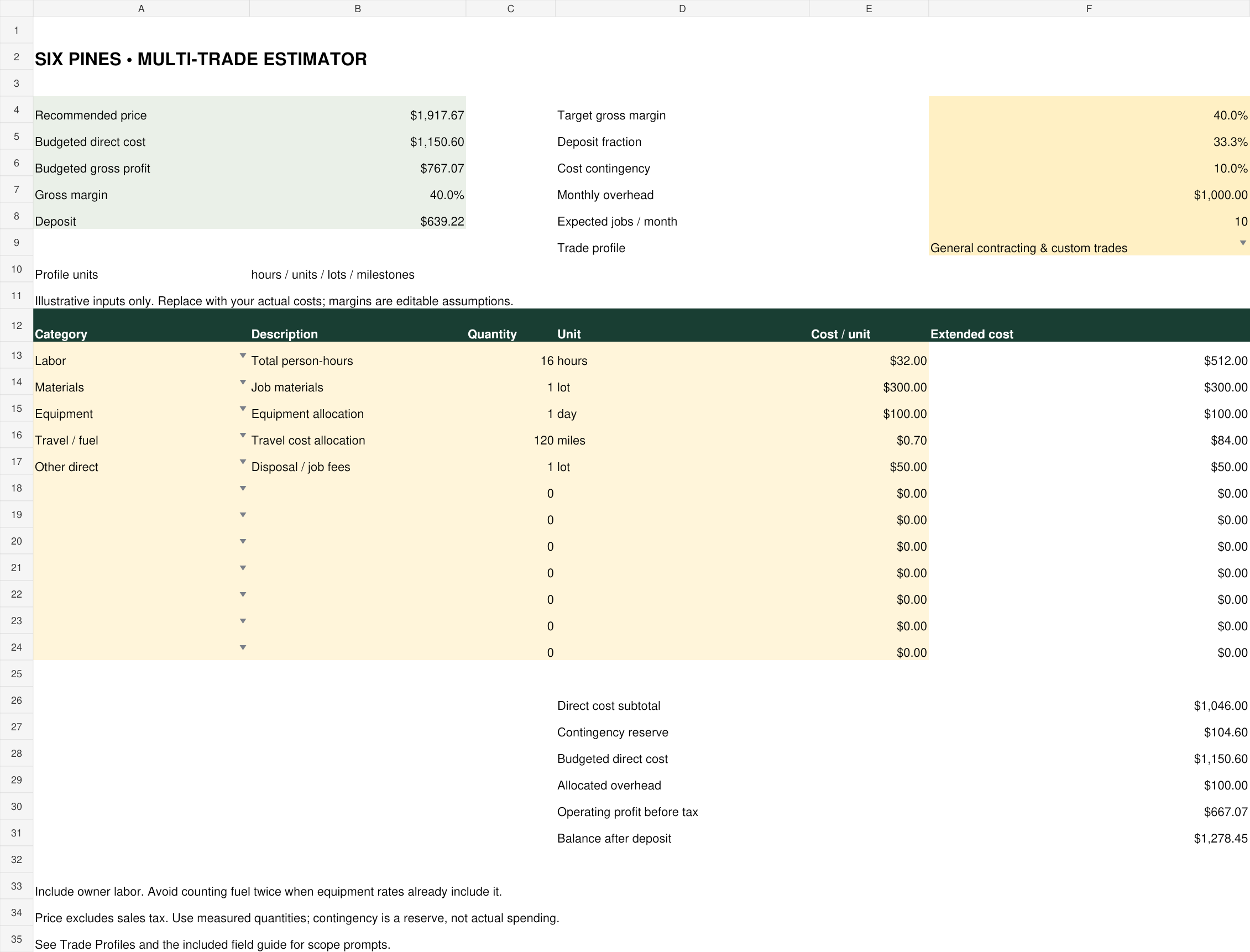
Build estimates from your own labor, material and equipment costs, with a clear scope for your customer to review.
A production schedule
Crews and start dates are planned against real capacity, so your project is not squeezed in on a guess.
Scope and handoff sheets
What is included and what is not gets written down before the first brush touches a wall.
Clear, organized project records
The private workspace keeps customer details, estimates and job notes together. Starter and Complete add production scheduling, invoice balances and records of payments you collect through your existing payment method.
Keep the work moving.
Plan production, coordinate your crews and prepare customer completion reports from your toolkit. Sign in to manage your projects and keep the details together.
Open production toolsEvery paint job runs the same sequence. Price each stage.
From first walkthrough to final payment, in one set of files.
Scope it, cost it, quote it
List rooms, surfaces, quantities and exclusions. Add labor, materials, equipment, fuel and travel from your own numbers. Get a price that holds your target margin, with deposit amounts ready.
Put it on the schedule
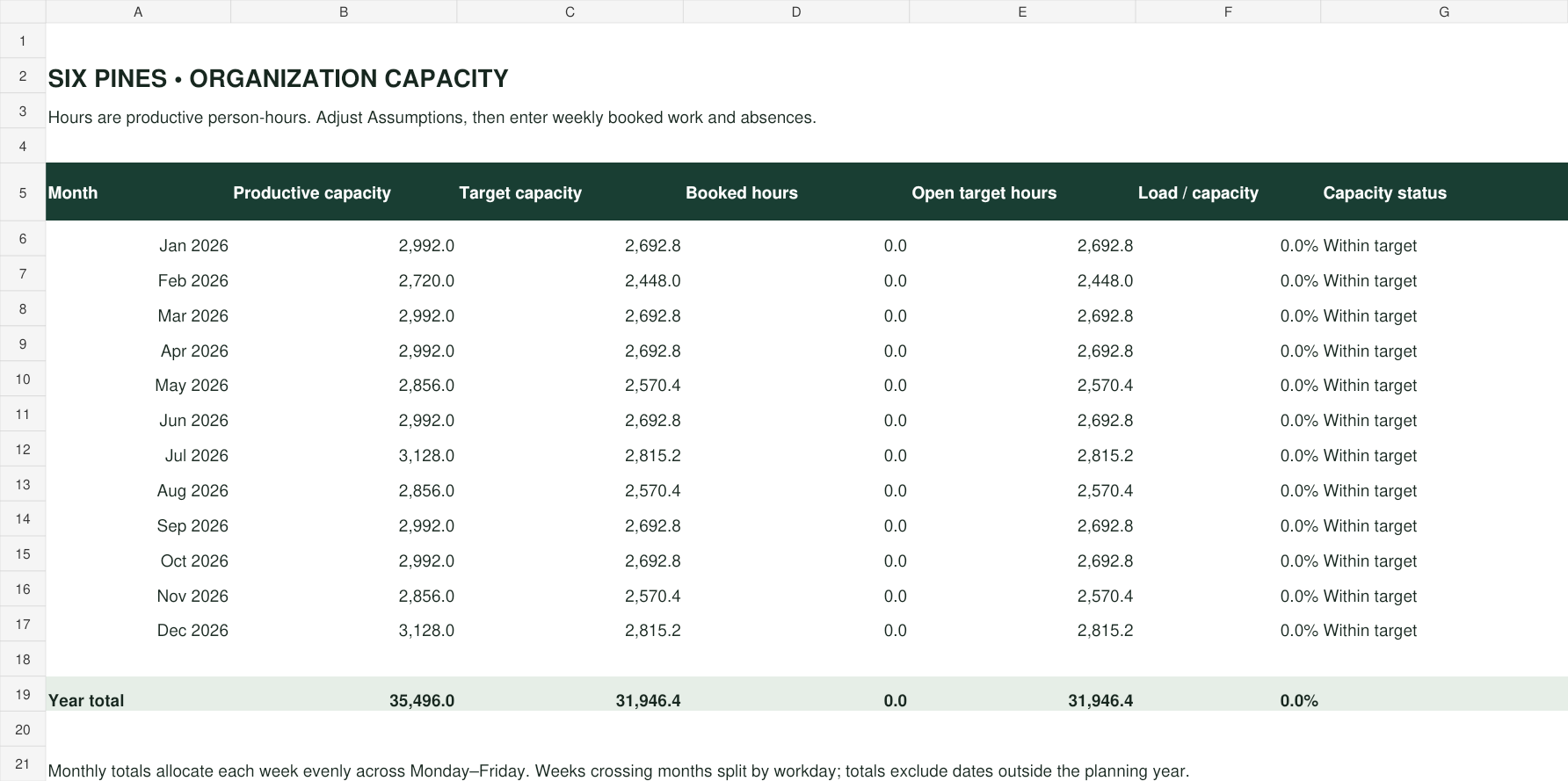
Use the Production Schedule workbook to record job status, costs and payments. The capacity planner shows booked hours against available hours for the week or the month.
Compare estimate to actual
Close each job with real spending and collected payments. See where you ran over, and fix the next estimate with what you learned.
See next week's workload before you say yes.
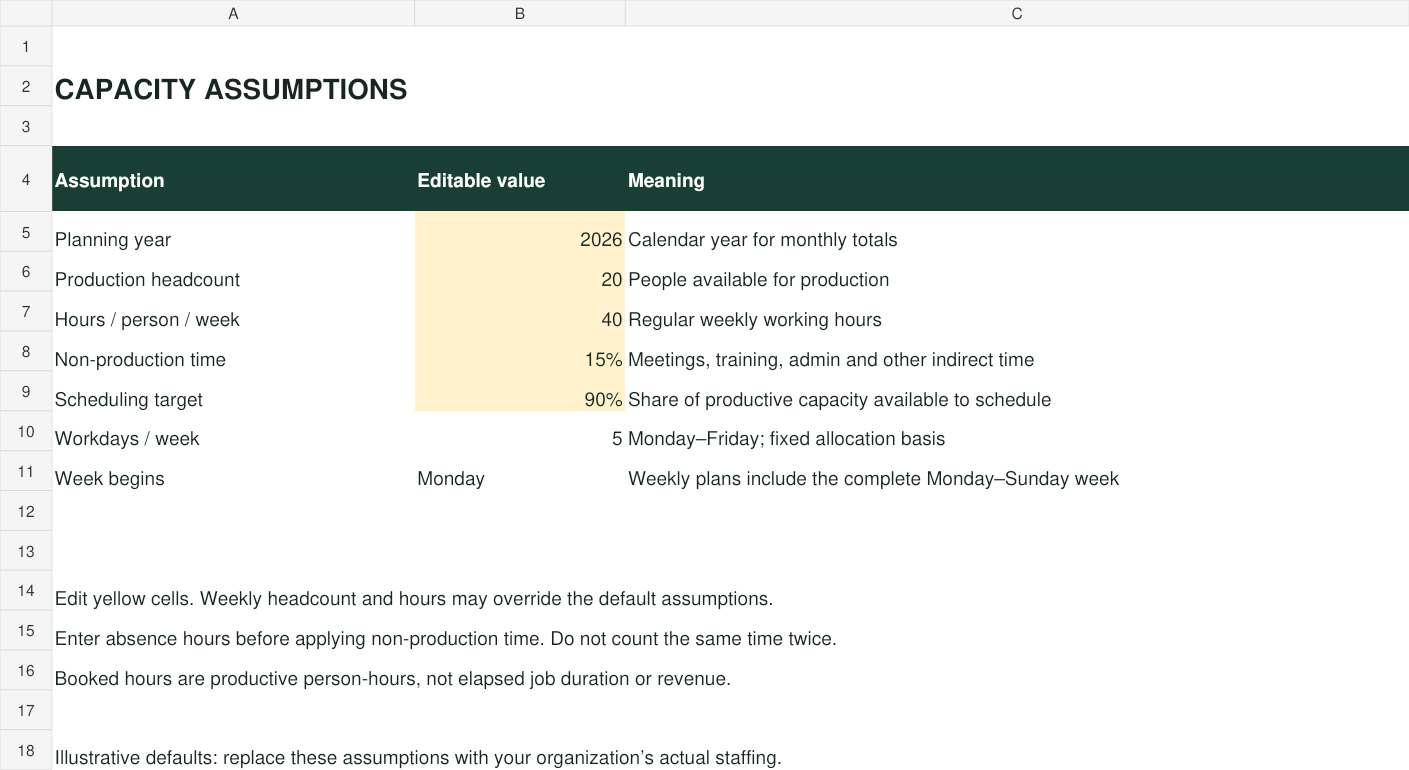
Plan your team’s available hours before taking on more work. Compare booked hours to what your team can actually deliver, using assumptions you set yourself.
- Weekly and monthly views
- Adjustable crew size, hours per day and lost days
- Shared with every team user in your workspace
Choose your toolkit.
Editable tools, licensed for your business. Your active monthly subscription includes one user, your workspace and a license to use and customize the files. Add teammates for $5 per user per month, at checkout or later.
Multi-Trade Estimator
- Multi-trade Excel estimator
- Labor, materials, equipment and fuel
- Margin and deposit calculations
- Customer records, shareable estimates and reviewed email follow-ups
- Customer approval links with scope and price locked after approval
Contractor Starter Kit
- Editable estimate and invoice document templates
- Production Schedule, dispatch and customer job reminders
- Invoice balances, printable invoices and overdue-email reminders
- Shared weekly and monthly capacity planner
- 16 trade scope and handoff sheets
Complete Toolkit
- The Estimator and the Starter Kit
- Owner AI Admin access for routine administration
- Connected estimates, approvals, dispatch, change orders and invoices
- Budget versus actual job cost and gross profit tracking
- Shared weekly and monthly capacity planner
- Multi-trade pricing field guide
- Logistics and logging records

Made by Six Pines Painting.
These are the estimating and scheduling tools we wanted for our own jobs. Painting comes first. Profiles for plumbing, electrical, carpentry, HVAC, roofing and more are included, plus a custom profile for any other trade.
See the tools before you choose.
Actual workbook previews with illustrative inputs. Select an image to view it full size. These show the downloadable spreadsheets; the online workspace is a separate part of your toolkit.
Questions contractors ask.
Does it tell me market rates?
No. It uses your costs and your target margin. Example numbers are illustrative and editable. Check scope and customer requirements before you issue an estimate.
What software do I need?
The spreadsheets use standard Excel formulas. Templates and guides are editable files that open in a browser and print to PDF. Check recalculation on your own version of Excel.
Can I use these for other trades?
Yes. Trade profiles cover plumbing, electrical, carpentry, HVAC, roofing and others, and you can adjust scope, quantities and costs for each job.
Can I send these documents to customers?
Yes. Customize the included document templates with your branding and share finished documents with customers. Starter and Complete also include online invoice records and printable invoices. Connect Square in the paid workspace to collect invoice payments through secure Square checkout and record verified payments automatically. QuickBooks Online, Xero and Sage Business Cloud Accounting connections require provider setup and account mapping; the initial accounting export supports USD invoices without tax. Processing fees apply. The license covers one user in one business; source files may not be resold or redistributed.
How do extra users work?
Add users in your private license manager after you buy. Each additional user costs $5 per month, and increases start on the next monthly invoice.
Can I open my jobs on another device?
Yes. Each paid toolkit includes a private cloud workspace for customers, estimates and customer approvals. Starter and Complete add production scheduling, invoice records and payment tracking. Invited, licensed teammates share that workspace. Downloaded files are edited separately and do not automatically sync with the workspace.